
SillyTavern Setup Guide: Writing a Good User Description (Plus Group Chats, Formatting & Image Gen)
Insights | Updated on June 12, 2026
By Lizzie Od, Editor & AI Roleplay Enthusiast

 Ask AI for a summary


TL;DR:
A good user description for SillyTavern is a few concise lines describing who you are to the AI — written in third person, kept short to save context, and never scripting your own actions or dialogue.
A strong description gives the AI facts it needs to reference you (appearance, age, profession, your relationship to the characters); a weak one is a bloated paragraph that narrates your behavior and burns tokens. This guide also covers creating and locking a persona so it stops resetting, persona vs. character card, Advanced Formatting, group chats, and the image-gen catch.
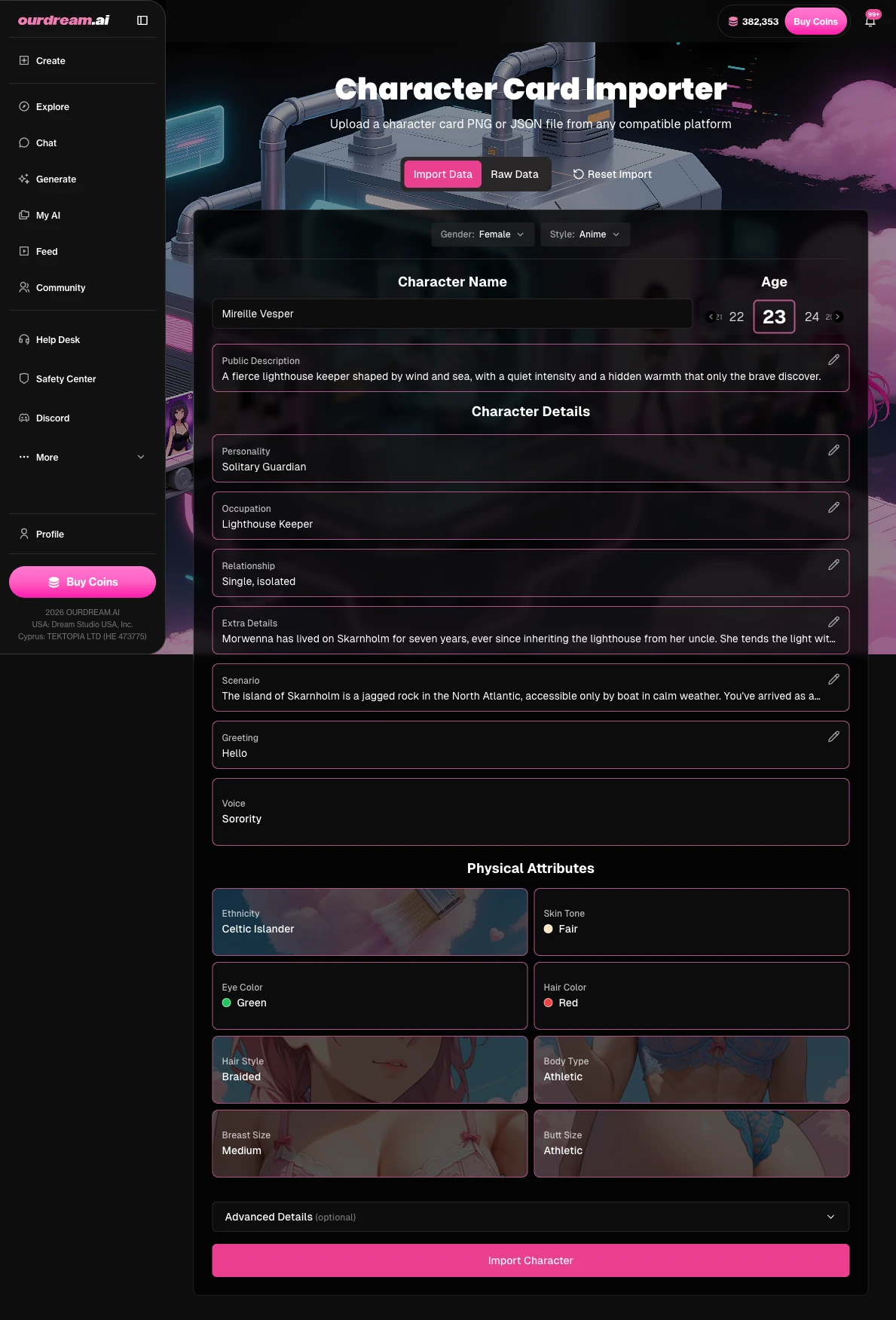
The catch on images: SillyTavern renders nothing itself. The /sd extension needs an external Stable Diffusion or cloud backend you set up yourself. People who'd rather skip that can import the same card at ourdream.ai/character-import and get images and video on the character directly.
The answers to “what do I actually put in the persona field” are scattered across the official docs, a handful of one-off Reddit threads, and the occasional 25-minute video. Almost none of them show you what a good description looks like next to a bad one. The docs explain the field and where its text gets injected, but they never hand you an example to copy. The Reddit wisdom sits buried three comments deep. So you end up with a dozen tabs open and still no clear picture.
This guide closes that loop. SillyTavern is only an interface. It does not run a model itself — it feeds your persona text into whatever AI backend you've connected, which is exactly why a good description matters. We'll show a good versus bad description with the reasoning, then walk the rest of the setup — locking, formatting, group chats, and images — so you stop bouncing between tabs.
What Makes a Good User Description in SillyTavern?
A good user description for SillyTavern is a few concise lines describing who you are to the AI — written in third person, kept short to save context, and never scripting your own actions or dialogue. The persona is the identity you bring into a chat: your display name, an optional avatar, and the descriptive text that {{user}} is built around. Its whole job is to give the model the handful of facts it needs to treat you as a real presence in the scene. It is not there to write your character for you — that's a separate craft, and our guide to writing the character itself covers it end to end.
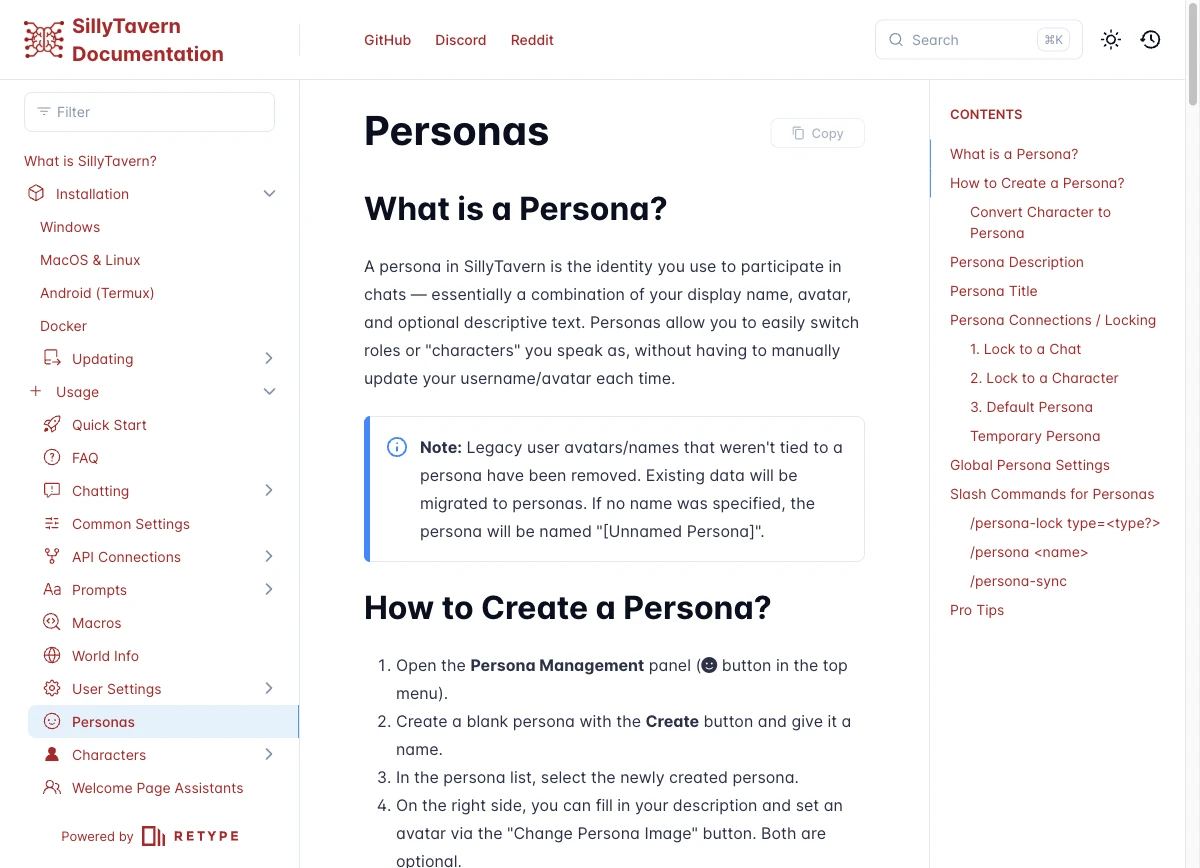
So what actually goes in the field? As commenters on r/SillyTavernAI put it, the useful stuff is the facts other characters need to reference you. Think appearance, gender, age, profession, and your relationship to the characters in the scene — a friend, a partner, a stranger who just walked in. Include only what the AI must know, since you craft your own dialogue. Everything past that is decoration the model has to wade through on every reply.
What most guides skip is the part you actually need — a strong description next to a weak one:
Notice the pattern in the strong column. None of them describe what the character does moment to moment — no walking, no nervous glancing, no scripted dialogue. They describe who the person is: name, age, a profession, a couple of physical anchors, a temperament, a relationship to the scene. That last move is the one people miss. Over-describe your own behavior and you invite the AI to narrate for you — and once it starts speaking your lines, the roleplay stops feeling like yours.
Here's a copy-pasteable skeleton you can fill in:
[Name], [age], [profession or role].
[Two or three physical details — build, hair, how they carry themselves.]
[A line on temperament — how they act around others.]
[Relationship to the characters or the setting.]
Keep it tight. A persona is injected into the prompt on every turn, so a concise description means less context eaten and less forgetting later in a long chat — a tradeoff we'll come back to in the persona-versus-card section. If you're building the character the AI plays rather than yourself, that's a different job; our character cards guide covers that side. For the canonical breakdown of the field and its options, see SillyTavern's persona docs.
How Do You Create and Lock a Persona So It Stops Resetting?
To stop your persona resetting, you create it once in Persona Management and then lock it. SillyTavern offers a chat lock, a character lock, and a default persona that applies whenever no other lock is set. The reset problem is almost always a missing lock, not a bug. Here is the flow:
- Open Persona Management (the user-icon panel in the top bar).
- Click Create, which spins up a blank persona, and give it a name.
- Select it in the list, then fill in the description and, if you want, set an avatar via Change Persona Image (both are optional, but the description is the part that matters).
- Set it as your default persona if you want it used whenever nothing else is locked — you'll know it's the default by the yellow border around its avatar.
- Lock it where you want it to stick: a chat lock ties it to the current conversation, a character lock ties it to a specific character so it loads every time you open them.
That is the whole reset fix. The default persona is your fallback; the chat and character locks are for when you want a particular identity to ride along with a particular chat or companion. Only need a persona for one quick session? Set a temporary one with /persona <name> mode=temp and skip the locking entirely. And if you've already built a character you'd rather play as, turn it into a persona from More… → Convert to Persona. Handy — though SillyTavern will prompt you about a macro swap, which makes more sense after the next section. The persona docs cover the locking edge cases in full.
What's the Difference Between a User Persona and a Character Card?
The difference between a user persona and a character card is who each one represents: the persona is you (the human in the scene), while the character card is the AI you're talking to. People mix these up constantly because both are “a description with a name and an avatar,” but they sit on opposite sides of the conversation and feed different parts of the prompt.
A small thing trips people up. {{user}} and {{char}} flip meaning depending on whether you are writing inside a persona or inside a character description. SillyTavern will literally prompt you to swap them when you convert one into the other. Inside your persona, {{user}} is you; inside a character card written from that character's point of view, the references point the other way. You don't have to memorize the mechanics — just know the prompt is asking a real question, not throwing an error.
Where does the persona text actually land in the prompt? By default it goes into the Story String. You can also move it to the top or bottom of your Author's Note, or pin it at a specific chat depth, all from the Position setting in Persona Management. After round-tripping plenty of V2 and V3 cards through SillyTavern's import and export, I can tell you the injection point matters more than it looks: where the text sits changes how strongly the model weights it. There's a cost, too. Because the persona is injected on every prompt, a long one permanently eats into your context budget — the same reason the lead section pushed concision. Sourced a card you'd rather chat as than describe yourself? Our guide on finding and importing character cards covers that path. For the macro and injection reference, the persona docs are the source of truth.
How Does Advanced Formatting Work in SillyTavern?
Advanced Formatting in SillyTavern is the panel that controls how your prompt is assembled before it's sent to the model — mainly for Text Completion APIs. Think of it as the rulebook for how all your pieces (character card, persona, chat history) get stitched into one block of text the model actually reads. You will not touch it daily, but knowing which lever does what saves a lot of confused trial and error.
The key controls:
- Context Template — the “story string” preamble that injects your character-card data and sets the overall scaffold of the prompt.
- Instruct Mode + System / Main Prompt — the instruction layer that tells the model how to behave and what format to follow.
- Tokenizer — which tokenizer SillyTavern uses to count and budget your context.
- Custom Stopping Strings — a JSON array (for example
["\n", "\nUser:"]) that tells generation where to cut off so the model doesn't ramble past its turn. - Start Reply With — a prefill that seeds the beginning of the model's reply.
One caveat saves real frustration here. Most of these are Text-Completion controls. If you're on a Chat Completion API (think the OpenAI-style endpoints), you will not find half of them, because Chat Completion assembles prompts through the Prompt Manager instead. Don't go hunting for a missing Context Template that was never meant to be there.
Separate from all of this is the Author's Note — a per-chat tool in the Options menu by the chat bar. It injects text at a depth and frequency you choose (depth 0 drops it at the very end of the history; frequency 1 fires it on every message). That makes it a periodic nudge rather than an always-on instruction — handy for steering tone mid-scene without rewriting the card. SillyTavern also renders Markdown in chat, so a little emphasis in your messages carries through. And if you'd rather not build all this from scratch, community presets like Virt-io and Sphiratrioth package whole Advanced-Formatting configs you can drop in. Grab them from the source rather than rebuilding by hand. The advanced formatting docs go deeper on each control.
How Do Group Chats Work in SillyTavern?
Group chats in SillyTavern let several characters share one conversation, and you steer who speaks when using one of four reply-order strategies. The shared history is the part that makes it feel like a real scene — everyone in the group reads the same conversation, so a character can react to something another character said three messages ago. Your job is mostly deciding who talks next. The reply-order setting is the lever for it.
Most people start on Natural Order because it mimics how a real group talks. The character whose name you just mentioned tends to chime in, recent speakers stay active, and a little randomness keeps it from feeling mechanical. List Order suits something structured, like a turn-based scene where each character weighs in once. Pooled Order is the quiet hero for big groups; it stops one loud character from dominating by making sure everyone speaks before the rotation resets. Manual is exactly what it sounds like, and /trigger helps when you want a specific character to respond right now.
There's a second lever worth knowing: how cards get combined. By default SillyTavern uses Swap character cards, so only the active speaker's card sits in context for each generation. That is lean, but each character only “knows” themselves. Switch to Join character cards and all members' cards are combined into one joint prompt in list order, with options to include or exclude muted members. Joining gives characters awareness of each other's definitions at the cost of more context. As the docs put it plainly: “No matter the choice, the group chat history is always shared between all the members.” The group chats docs cover the finer settings.
Why Won't Image Generation Work in SillyTavern Until You Set Up a Backend?
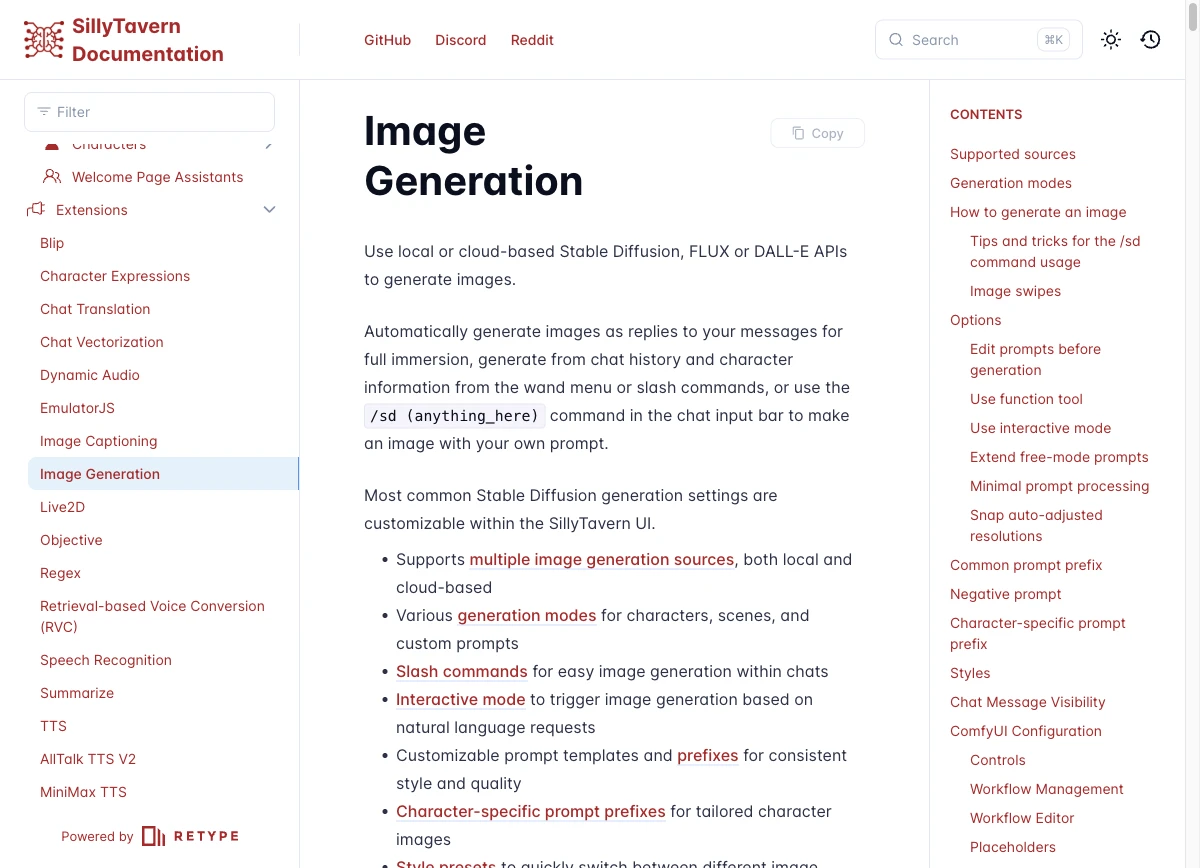
Image generation won't work in SillyTavern out of the box because the /sd extension generates no images itself. It's a client that has to connect to an external Stable Diffusion, ComfyUI, or cloud backend you set up separately. The docs are blunt about it: SillyTavern “is only an interface.” The extension builds a clean prompt from your chat and hands it off, but something else does the actual rendering. That is the friction nobody mentions until you've installed the extension and sat there wondering why nothing happens.
Your two honest paths:
- Local — AUTOMATIC1111 (Stable Diffusion WebUI), ComfyUI, or SD.Next. Each is a separate install that runs on your own machine, which means a real GPU and a setup session before you generate a single image.
- Cloud — DALL-E, FLUX, NovelAI, Stable Horde, or Pollinations. You connect via an API key or account instead of installing anything locally, trading a recurring cost (or queue time, in Stable Horde's case) for skipping the install.
The local route is involved — a real setup project, genuinely fine if you enjoy tinkering with checkpoints and samplers. The cloud route is lighter on setup but adds a dependency and, usually, a bill. Neither is wrong. They're just different amounts of work for the same result. And yes, you can generate an image of yourself in-scene. The “Me” mode (/sd me) renders a portrait of your own persona, while “Yourself” handles the active character. Our walkthrough on getting images out of a chat front-end covers the same friction from another angle. The canonical proof that you need an external backend lives in SillyTavern's image generation docs.
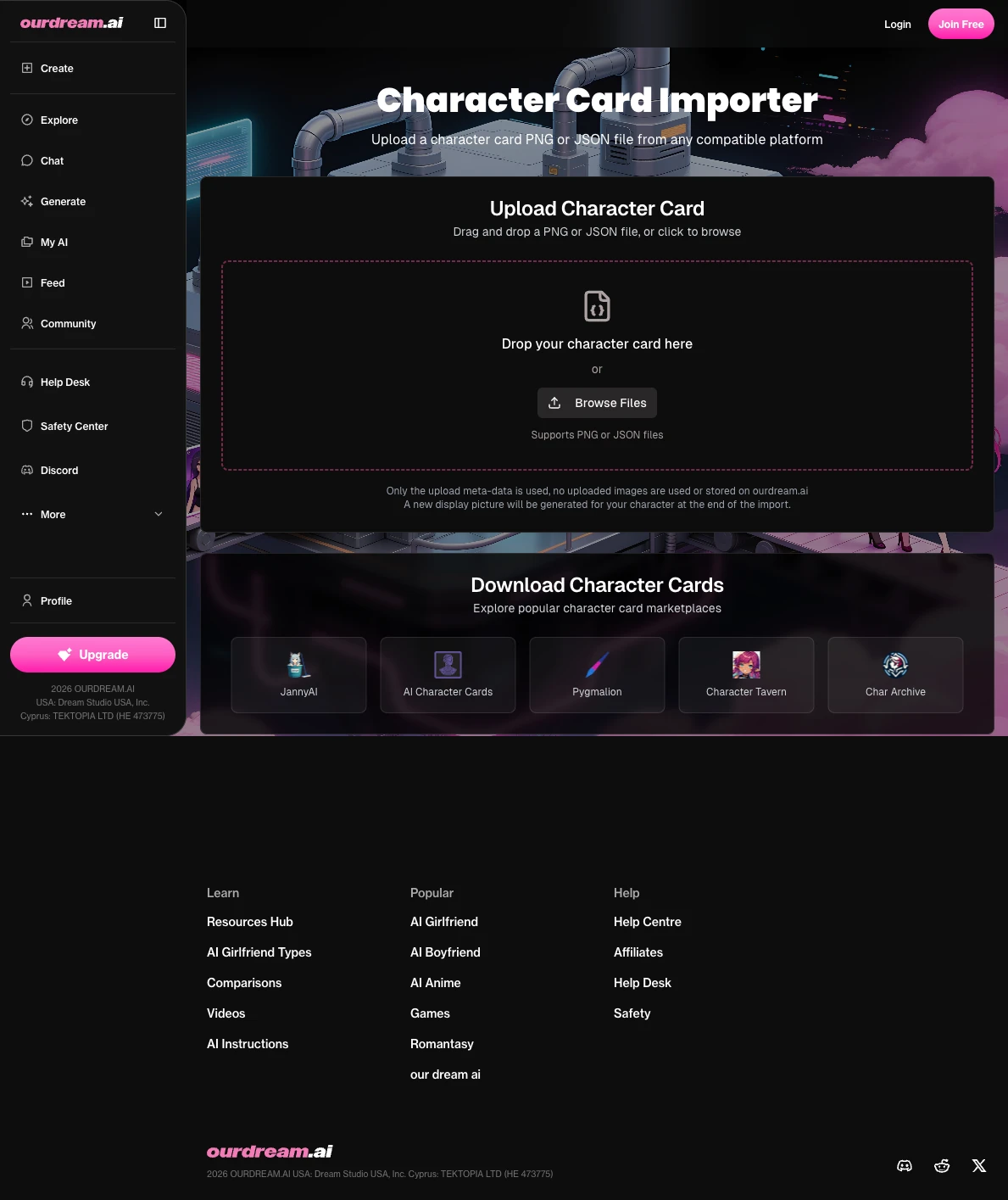
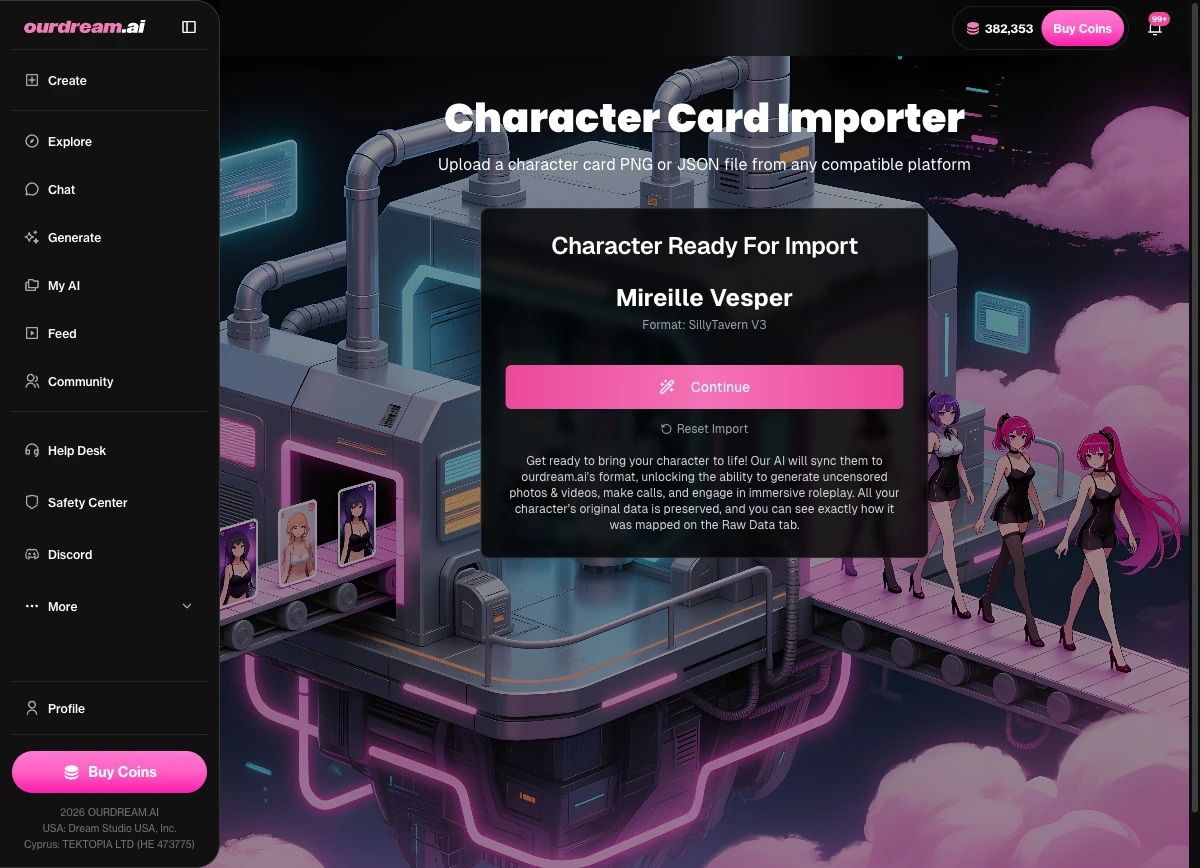
If the reason you wanted local image gen was mostly content freedom — or you just don't want to stand up a separate Stable Diffusion install to see your character — there's a lower-friction path. People who'd rather skip the backend assembly can import the same card at ourdream.ai/character-import. The page parses the same .png or .json SillyTavern card you're already using and brings that exact character to life with images, video, and NSFW generation, no Stable Diffusion required. It accepts V2 (chara) and V3 (ccv3) PNG cards plus Tavern V2/V3, Faraday, and Pygmalion/CAI JSON, so the card you built doesn't have to change. It will not replace SillyTavern at being SillyTavern — the deep prompt control lives here — but for chat, image, and video on one character without the SD setup, it's the honest shortcut.
Is “RPG Companion” a Separate App or a SillyTavern Extension?
“RPG companion” for SillyTavern is an installable extension, not a separate app — you add it from inside SillyTavern, and it layers RPG-style game state onto your existing chats. The name throws people because it sounds like a standalone product you would download elsewhere. The real entity is SpicyMarinara's rpg-companion-sillytavern extension. Installing it is the standard extension flow: Extensions → Install Extension → paste the repo URL.
Once it's in, it does the bookkeeping a tabletop session normally needs. It tracks RPG-style game state — character stats (STR, DEX, CON, INT, WIS, CHA), inventory, health and energy bars, even weather and time of day. It auto-updates that state after each message, so your scene quietly keeps score while you play — no spreadsheet, no manual tracking, which is the whole point. Extending your setup further? Our roundup of the best character card makers and editors pairs well with this kind of tinkering.
Where Should You Start?
If you do one thing first, make it the persona — a good user description for SillyTavern is the difference between the AI knowing exactly who you are and guessing at it for fifty messages. Get the concise, third-person, identity-first description right, and everything else slots in around it. Lock it so it stops resetting. Learn the formatting levers when you need them. Set up group chats when you want a crowd. And wire up an image backend — or import the card somewhere that already has one — when you want to see your character instead of just read them. Nail the description, and the rest of the setup is just plumbing.
FAQ
Should I write my SillyTavern persona in first or third person?
→
That depends on what you're doing. Third person is the more common convention and feeds cards more cleanly; first person reads more immersively for a self-insert. On r/SillyTavernAI the community is genuinely split — some people write in first person to feel like they're doing things, others always use third person because most bots are written that way and it leaves room for a fuller story. Pick the one that matches how you like to play and stay consistent within a chat.
Will a long user description use up my context tokens and make the AI forget the chat?
→
Yes — the persona is injected into every prompt, so a long one permanently eats context budget and crowds out actual chat history. The longer it is, the sooner the model starts dropping earlier parts of the conversation to make room. Keep it concise: a handful of identity facts does the job and leaves room for the story.
What's the difference between a user persona and a character card?
→
Both are a named description with an optional avatar, which is exactly why they get confused. The persona is you — the human in the scene. The character card is the AI you're talking to. They're injected into different parts of the prompt and control different sides of the conversation.
How do I lock a persona so it doesn't reset between chats?
→
Use a lock in Persona Management. A chat lock ties the persona to the current conversation, a character lock ties it to a specific character, and the default persona applies whenever nothing else is set. The reset you're seeing is almost always a missing lock.
Why won't image generation work in SillyTavern — do I need to install Stable Diffusion separately?
→
Largely yes — the /sd extension renders nothing itself and needs an external Stable Diffusion, ComfyUI, or cloud backend (DALL-E, FLUX, NovelAI, Stable Horde, Pollinations). You set that up separately, then the extension hands it prompts. If you'd rather skip the install, importing the same card elsewhere is the lower-friction alternative.
Can I generate an image of my own persona?
→
Yes — use the “Me” mode (/sd me), which is the documented way to render a portrait of your own persona, once you’ve connected a backend.
Is “rpg companion” a separate app or a SillyTavern extension?
→
It's an extension you install from inside SillyTavern, not a standalone app. You add it through Extensions → Install Extension and paste the repo URL, and it tracks game state like stats, inventory, and status on top of your normal chats.

Related Articles
Browse All →
ourdream vs candy.ai
sweeter than candy?
Read full article →
ourdream vs GirlfriendGPT
Which AI companion actually remembers you?
Read full article →
ourdream vs JuicyChat
Comparing content freedom and image quality.
Read full article →
ourdream vs SpicyChat
How does SpicyChat stack up against ourdream?
Read full article →